


TEACHER FAVORITE | SELLING FAST
CLASSBEAM™ Teacher Projector
CLASSBEAM™ Teacher Projector
📽️ Every Kid Sees the Page, Even the Back Row
🔄 Wall for Lessons, Ceiling for Rest Time
👩🏻🏫 Yours, Not the AV Cart: Set Up in 60 Seconds
Couldn't load pickup availability

CLASSBEAM™ Teacher Projector


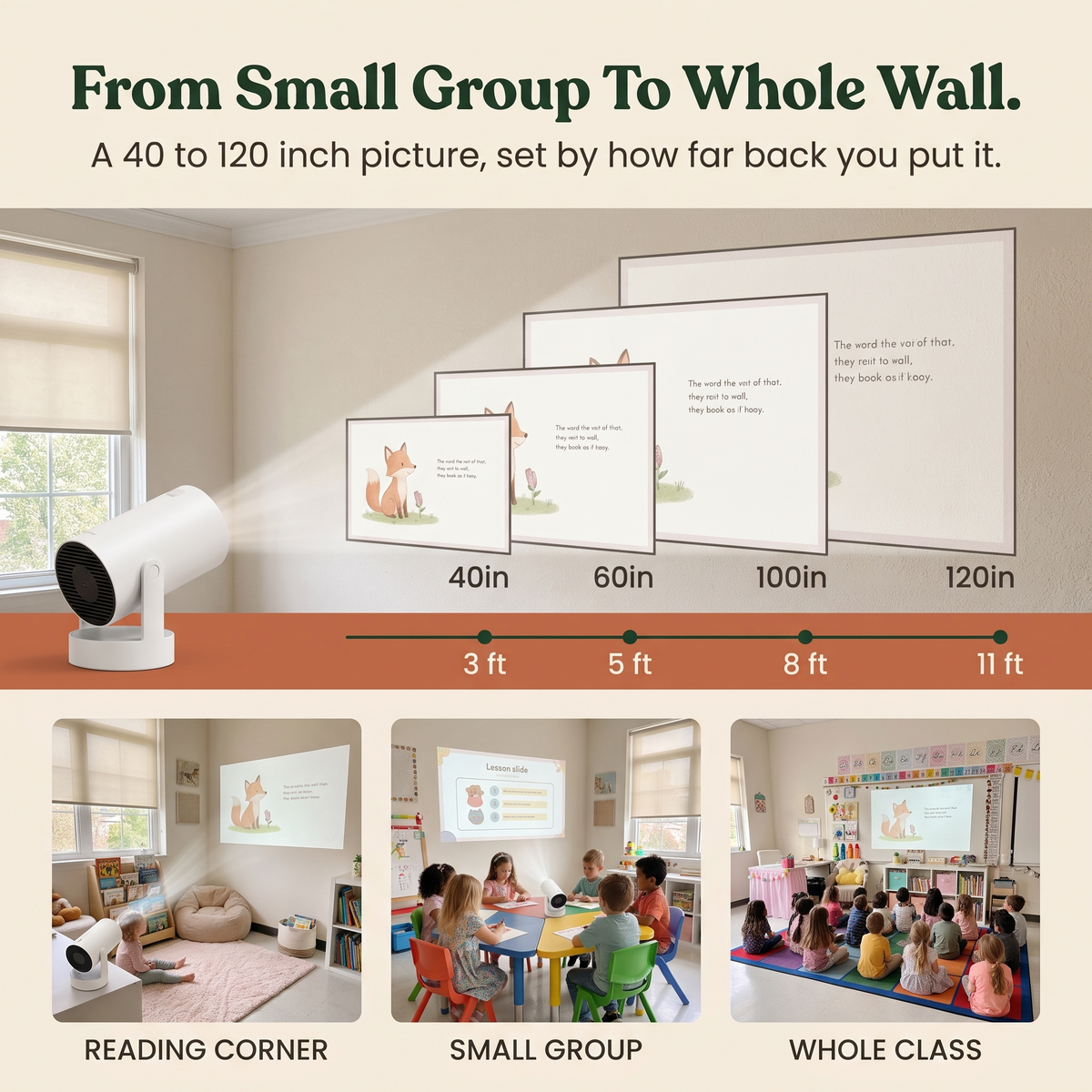

Every Kid Gets a Front-Row Seat
Story Time, Now Wall-Sized.
No more holding the book up while the back row stretches to see. CLASSBEAM puts the page on the wall, so every child sees every picture at once. Calmer story time, focused kids, and you just read.
Why teachers choose CLASSBEAM...
The school projector is shared. The tablet only reaches the front row. CLASSBEAM is yours, and big enough for the whole class.

|
Without | |
|---|---|---|
| Every kid sees the page | ||
| No crowding around a book or tablet | ||
| Plays your slides, PDFs and videos | ||
| Yours, no booking or sharing | ||
| Ready in about a minute | ||
| "I can't see!" every five minutes |
Testimonials
What the best teachers are saying...
-

"The back row finally sees the pictures."
No more holding the book over your head and turning it page by page. The story goes up on the wall, big enough for the whole carpet, and every child follows along. Fewer "I can't see!" calls, more reading.

-

"The room goes quiet the second the stars come on."
Tilt it up to the ceiling, turn the lights down, and put a calm starry sky over the nap mats. Wiggly kids lie back, look up and settle, and you get a few minutes of real quiet in the middle of the day.

-

"Out of the box and on the wall before the bell rang."
No AV cart to book and no waiting on IT. Set it on any desk or shelf, tilt the head, press play. It straightens the picture on its own, fits in your teacher bag, and goes home with you on Friday.


Good to know...
QUESTIONS, ANSWERED
How big is the picture?
How big is the picture?
Anywhere from 40 to 200 inches. About 5 ft (1.6 m) from the wall gives you an 80-inch picture, so you get a big, readable image even in a small classroom.
Is it bright enough for a classroom?
Is it bright enough for a classroom?
It's a 720p LED projector (290 ANSI lumens), so it looks best with the lights dimmed or the blinds down. In a fully lit room with direct sun the picture will look washed out.
How do I get a sharp picture?
How do I get a sharp picture?
First, peel the protective film off the lens. Then turn the focus wheel until it's sharp. Auto keystone straightens the picture on its own, and you can fine-tune the four corners and zoom (50-100%) from the menu.
Can I connect my laptop or tablet?
Can I connect my laptop or tablet?
Yes. Plug a laptop in with HDMI, play files from a USB stick, or mirror your phone or tablet over Wi-Fi 6. It also runs Android 14, so YouTube and streaming apps work right on the projector, no laptop needed.
Does it need Wi-Fi?
Does it need Wi-Fi?
Only for the built-in apps and screen mirroring. HDMI and USB work with no internet at all.
Is the sound loud enough for the whole class?
Is the sound loud enough for the whole class?
The built-in 5W speaker is great for a small group. For the whole class, pair any Bluetooth speaker (Bluetooth 5.4) for bigger sound.
What's in the box?
What's in the box?
The CLASSBEAM projector, a remote control, a power adapter (US plug) and a user manual.